How to print your Aadhaar as a PVC card
- Download your e-Aadhaar PDF from the myAadhaar portal.
- Choose the PDF in the tool above.
- Type the password: the first 4 letters of your name in
CAPITALS + your year of birth, for example
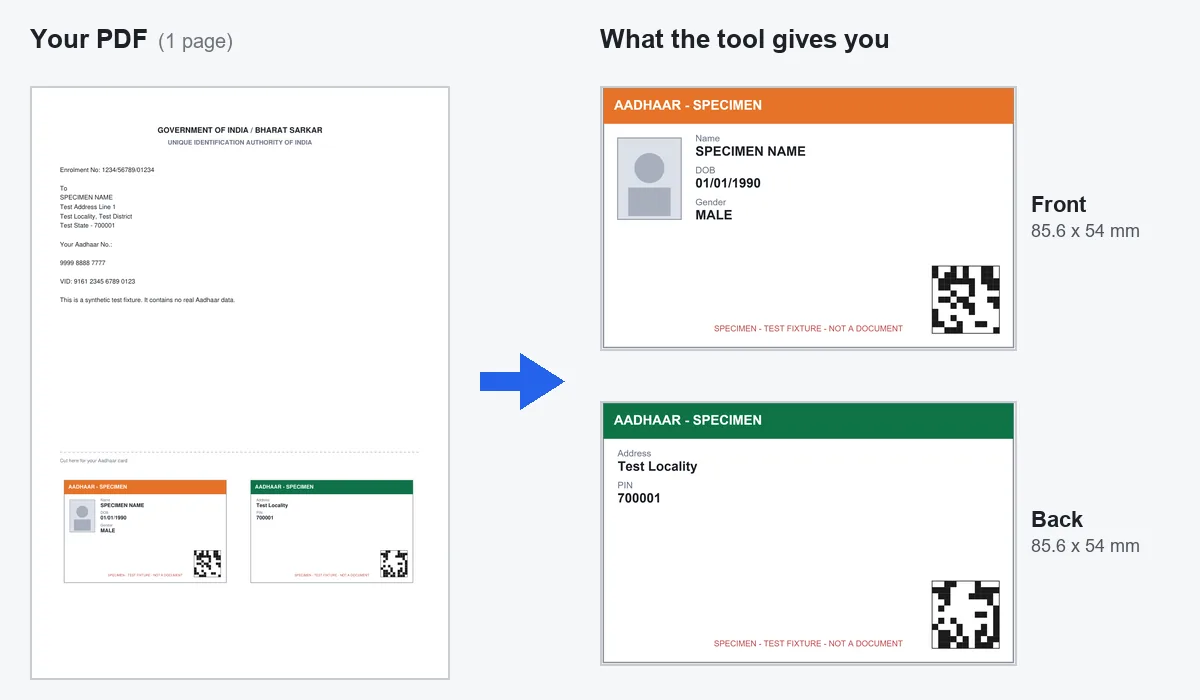
PANK1990. If it is wrong, the tool lets you try again. - The tool finds the cut-out card at the bottom of the letter and shows you the front and the back. Check that no edge is cut off.
- Leave the resolution on 600 DPI. Switch on bleed only if you use an edge-to-edge card printer.
- Click Download both sides or Print for a card printer. For A4 PVC sheets, use Double-sided A4 (PDF). Print at 100% scale.
The password on your e-Aadhaar PDF
The e-Aadhaar PDF from myAadhaar is always locked with a password. The password is the first four letters of your name in capitals, then your year of birth, as they are written on your Aadhaar.
So for Pankaj born in 1990, the password is PANK1990. The name
is used exactly as printed. If your name starts with a short word, the
first four letters can run into the next word. Your password is used only
inside your browser to open the file. It is never sent anywhere.
Where the card sits in the letter
New e-Aadhaar letters have a cut-out card near the bottom of page 1: the front on the left, the back on the right. The tool reads the dashed cut lines and the card panels, so it takes the real card and not the "Government of India" heading at the top, which is also card-shaped.
Old Aadhaar letters were made before the cut-out existed. If yours has no card-shaped panel, open Crop not right? Adjust and drag the box over the part you want. Keep Shape on Fixed 85.6 × 54 mm so the card is not stretched.
UIDAI also sells an official PVC card
UIDAI makes its own Aadhaar PVC Card. You order it on the myAadhaar portal for ₹50, including GST and Speed Post. It is printed by UIDAI with a signed secure QR code and security features that a home print cannot have, and it comes to your registered address.
If you need a card that is officially issued, order that one. Use this tool when you want a printed copy today, for your wallet.
Printing tip for Aadhaar
The QR code has the finest detail on the card. At 600 DPI the tool draws it from the PDF itself, not from a screenshot, so it stays sharp. Scan it with your phone after printing. For DPI, bleed and A4 sheet details, see the PVC card print size guide.